
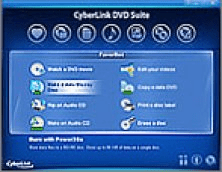

NeoDVD is a complete pack of programs for authoring DVDs and VCDs

7.2.0.149
NeoDVD is a complete pack of programs for authoring DVDs and VCDs. When you run this pack, it will install an icon in your system tray. You can double click on that icon to access the different programs included in this package.
You will be able to create DVDs or VCDs by using neoDVDvideo. The current version of neoDVD allows you to use neoDVDvideo 7 or 8. By using this program, you will be able to add several video clips to a DVD project, and build a menu to access those videos. You can add text, change fonts and colors, create slideshows or even edit the video. You can also preview the created videos. If everything´s OK, you can begin to burn the DVD, after choosing its quality and format. You can choose to save the project to your hard disk, if you don´t want to burn the DVD at the moment. This will also allow you to modify the project later, before burning it to a disc.
This pack can also capture video from a digital camcorder, by means of the neoCapture program. You can choose the video source, preview the incoming video and capture it to a file on your hard disk. The neoTaskBar has an icon for a utility named "Scene Composer", which must be bought separately. Finally, neoCopy allows you to copy DVDs or VCDs from discs or images on your hard disk.









User ratings
Share your experience
Recent reviews
See all 1In his review of NEODVD, Software Informer editor Daniel Angel Romero gave the DVD authoring utility several positives and no "CONs"-- quite unusual and adding to my frustration.. More